 Globeskool
An online school designed to be turned off.
Every platform your child uses is engineered to hold them a little longer. Ours is built the other way: your child finishes something real, the day has a ceiling you chose, and the evening actually ends. Not a parental-controls afterthought. A design principle.
Screen time isn't your problem to police. It's ours to design.
Most learning apps borrow the feed playbook: streaks that punish a day off, leagues to climb, mystery rewards to keep the session going. Then they hand you a dashboard and call the fallout your job. We think that is backwards.
Globeskool measures success in finished work, not hours. There are no streaks, no leagues, and no variable rewards anywhere in the platform. And the wind-down is part of the school itself: you set the rules per child, and the platform enforces them calmly, on the account, wherever your child signs in.
Rest, as a feature.
A daily limit on active minutes
You choose how many minutes of active learning a day is enough, for each child. When the day's work reaches it, the platform winds down instead of asking for one more session.
Evenings that actually end
Set a quiet window, say 9 in the evening to 7 the next morning, and it holds even across midnight. A Sunday-night window still holds at 6:30 on Monday morning, exactly as a parent expects.
School nights are not Saturdays
Set stricter rules for school nights and looser ones for the weekend. You decide per day of the week; your default rule covers every day you leave alone.
Real learning, not tab-time
Active minutes come from the work itself: a step submitted, a review finished, something built. An open tab does not tick a clock. There is no surveillance heartbeat and no screen recording.
A rest, not a punishment
When the day is done, your child's home shows a calm resting state. Nothing new starts, and there is no error wall and no lockout screen. Their portfolio and their journey stay open to look back on.
They always get to finish
A child in the middle of a mission can always finish it. Rest rules stop new work from starting; they never cut off work in progress mid-thought.
All of it is opt-in, per child. Set no rules and nothing changes. Set them once and they hold, because they live on the account, not on a device.
What your child never sees.
- A countdown timer, or a meter draining while they work.
- "You lost time" messaging, or a streak to protect.
- A leaderboard of hours.
- A lockout screen standing between them and their own work.
During quiet hours, their home simply says when the school opens again. During a daily-limit rest, nothing ticks down at all. Rest reads as rest, not as losing.
What you see instead.
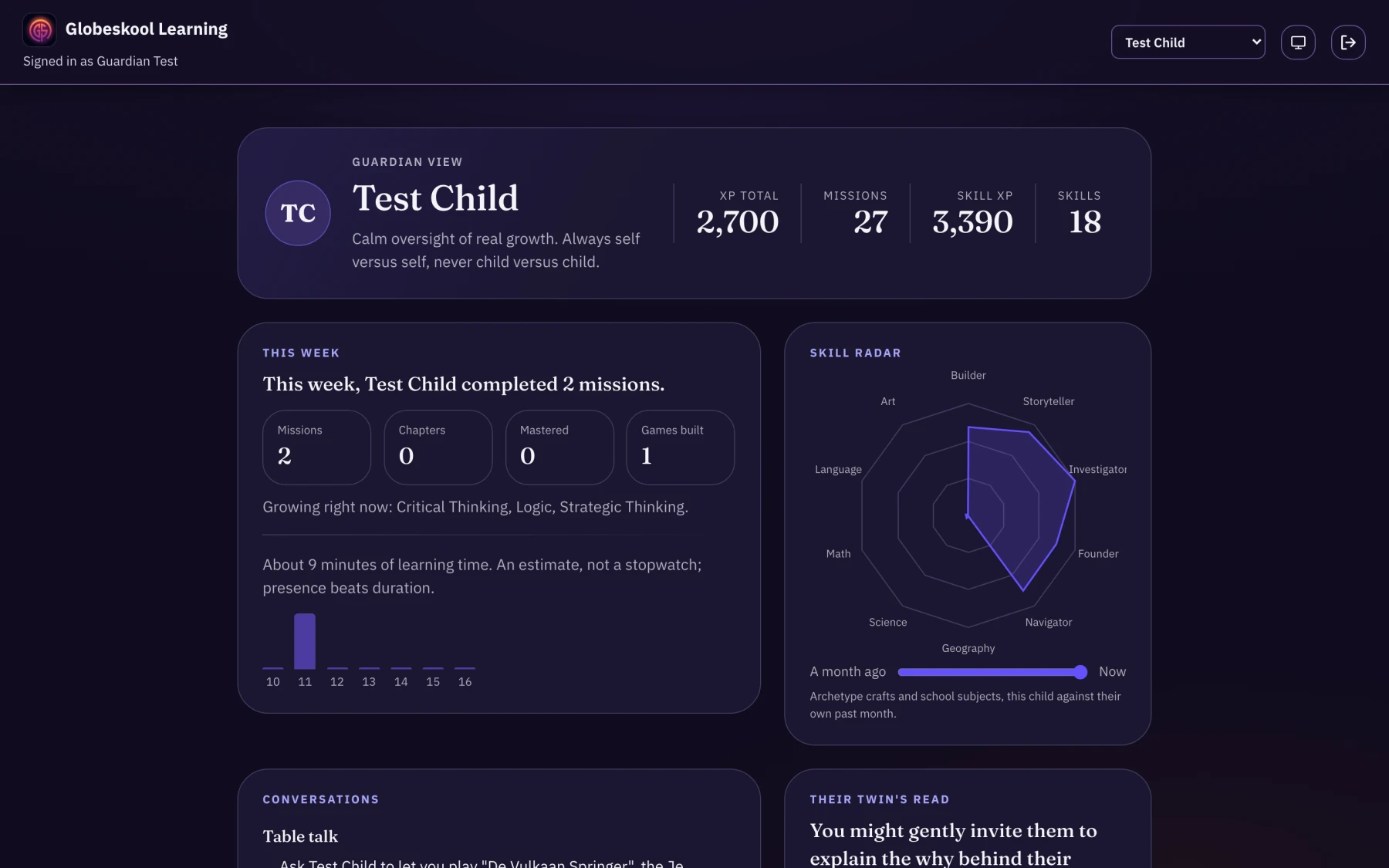
Your Observatory card shows today's active minutes and a calm seven-day overview: seven quiet bars, each shown against the rule that governed that day. Enough to see the shape of a week at a glance, without turning your child's time into a score they can watch deplete.
The clock lives on your side, where it is information. On your child's side there is only the work, and a school that knows when to close.
More on screens and your child.
The honest answers.
Does Globeskool have built-in screen time limits?
Yes. You can set a daily ceiling on active learning minutes and a quiet-hours window for each child, with different rules per day of the week if you want them. It is all optional and off by default: set no rules and nothing changes.
What happens when my child reaches the limit?
Their home shifts to a calm resting state. Nothing new can start, but work already underway can always be finished, and their portfolio and journey stay open to look back on. There is no countdown, no lockout screen, and no guilt messaging.
Do the rules follow my child across devices?
Yes. The rules live on your child's own account and the platform itself enforces them, so they hold wherever your child signs in. There is nothing to uninstall and no setting your child can flip: only you can change the rules.
Is the time tracking a form of surveillance?
No. Globeskool derives active minutes from the learning itself, like a submitted step or a finished review. It does not record the screen, does not track an idle tab, and adds no new monitoring. If your child is not actually doing anything, no clock is running.
A school that ends its own day, on your terms.
The free Future Skills Test shows where your child stands across the ten future skills, in about ten minutes. The report is yours to keep, whether or not you try Globeskool.
Not ready for the test? Hear from us the day we open.